7 Practical Tips to Improve the Efficiency of MagSafe Fast Charging
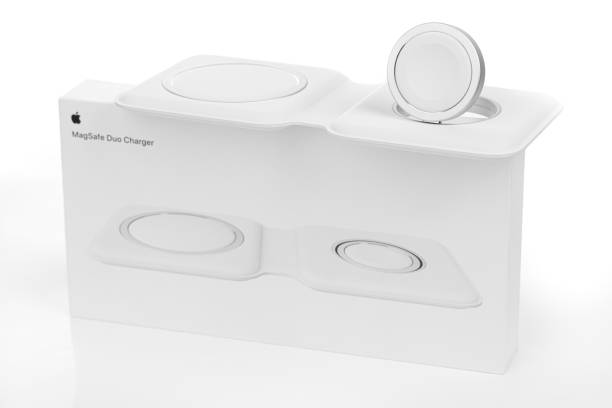
Wireless charging through MagSafe technology has made life simpler for Apple users. Yet, many people find that their magsafe charger or magsafe power bank doesn’t perform as fast as expected. Charging slows down, devices get warm, and batteries never seem to hit 100% overnight.
If that sounds familiar, you’re not alone. MagSafe fast charging efficiency depends on multiple variables — power matching, temperature control, protocol compatibility, and even everyday charging habits. This guide shares seven practical, science-backed tips to help you get faster, safer, and more consistent results with your MagSafe accessories.
1. Match Power Output and Device Capability
The first step to maximizing MagSafe performance is understanding power matching — the relationship between what your device can receive and what your charger can deliver.
Different iPhone models support varying wireless charging limits, typically 7.5W, 10W, or 15W. If your magsafe charger outputs less than your iPhone’s maximum, the system automatically reduces charging power. Similarly, a magsafe power bank that can only sustain 7.5W output will never achieve full-speed MagSafe performance.
To optimize:
- Check your device’s maximum wireless input wattage.
- Use a charger capable of delivering that wattage consistently.
- Pair it with a PD 3.0 or QC 3.0-compatible adapter rated at least 20W.
- Avoid splitting one adapter across multiple devices.
Typical performance comparison:
| Charging Method | Rated Power | 0-50% Time (Approx.) | Notes |
| Wired PD Charger | 20 W | ~30 min | Fastest and most stable |
| MagSafe Wireless | 15 W | ~40 min | Optimal alignment required |
| Standard Qi | 7.5 W | ~60 min | Lowest efficiency |
Power matching ensures that your MagSafe setup operates at its designed limit — no wasted potential.
2. Keep the Charging Environment Cool
Heat is the enemy of efficiency. Wireless charging inherently produces more heat than wired charging because energy is transferred through induction coils. When temperatures climb, both the iPhone and magsafe charger reduce wattage automatically to protect internal circuits.
Best practices:
- Charge in a room between 20 °C and 28 °C.
- Avoid placing devices under pillows or blankets while charging overnight.
- Use flat, ventilated surfaces — a wooden or aluminum desk works best.
- When using a magsafe power bank outdoors, keep it shaded; direct sunlight can cause power throttling.
Even a small temperature increase matters. Studies show that every 10 °C rise can reduce wireless charging efficiency by 5–8%. Proper cooling isn’t just about comfort — it directly affects how quickly your phone fills up.
3. Ensure Perfect Magnetic Alignment
Alignment might seem trivial, but it plays a huge role in MagSafe performance. The magnets inside the charger and iPhone ensure the coils overlap precisely; if they don’t, charging slows dramatically.
A misalignment as small as 2 mm can cause up to 15% power loss. Constant repositioning also forces the magsafe charger to renegotiate its connection, wasting time and energy.
Tips for accurate alignment:
- Wait for the magnetic “snap” before releasing your phone.
- Avoid charging on soft or uneven surfaces that shift easily.
- Keep the charging area clean — dust or metal fragments can interfere with the magnetic field.
- If charging multiple devices, position the iPhone in the main charging zone and AirPods in a secondary one.
Some advanced magsafe power banks feature automatic alignment adjustment to optimize coil placement — an upgrade worth considering if you travel frequently.
4. Maintain a Healthy Charging Cycle
Both MagSafe chargers and power banks rely on lithium-ion batteries, which age faster under extreme charge cycles. Deep discharges (0%) and long periods at 100% accelerate degradation.
Best charging range: 20% – 80%.
For magsafe power bank users, constantly draining the battery to zero and refilling it to full reduces long-term capacity. For iPhones, Apple’s software automatically slows charging above 80% to protect the battery — a feature called “Optimized Battery Charging.”
Maintenance advice:
- Keep your power bank partially charged (around 50%) if not used for weeks.
- Perform one full charge-discharge cycle per month to recalibrate its battery management system (BMS).
- Enable optimized charging on your iPhone to minimize overnight overcharging.
Healthy charging habits translate directly into better long-term efficiency.
5. Limit Power Consumption During Charging
You can’t expect fast charging if your phone is consuming energy faster than it’s receiving it. Running navigation, gaming, or video streaming while charging dramatically slows progress and increases heat output.
What happens technically:
High CPU and screen power draw can exceed the 10–15 W input from your magsafe charger, resulting in a net energy gain close to zero.
Optimization checklist:
- Close background apps and streaming services.
- Reduce screen brightness.
- Disable personal hotspot and Bluetooth transfers.
- Switch to Low Power Mode while charging.
When you truly need to use your phone while topping up — for example, during travel — opt for a higher-capacity magsafe power bank with wired pass-through charging to offset the loss in efficiency.
6. Choose Accessories with Multi-Protocol Support
Charging protocols determine how efficiently energy moves between your charger, adapter, and device. If protocols don’t align, charging reverts to a slower fallback mode.
Common standards:
| Protocol | Power Range | Compatibility | Efficiency | Ideal Use |
| Qi | 5–10 W | Universal | Medium | Legacy devices |
| PD 3.0 | 10–20 W | Excellent | High | iPhone fast charging |
| EPP | 15 W + | Good | High | MagSafe fast charging |
| PPS | Dynamic | Very Good | High | Smart temperature control |
Buying recommendations:
- Select a magsafe charger supporting PD 3.0 or EPP for full-speed performance.
- For a magsafe power bank, look for dual fast-charging (input ≥ 18 W, output ≥ 10 W) and two-way PD support.
- Ensure safety certifications: over-current, over-voltage, and temperature protection.
Proper protocol compatibility can shorten charging time by 20–25% and ensure consistent output even when your device warms up.
7. Use Smart Charging Features to Control Timing and Temperature
Modern iPhones include intelligent charging tools that learn your habits to improve both speed and battery longevity.
Make the most of them:
- Turn on “Optimized Battery Charging” to delay the final 20% until just before you wake up.
- Use automation shortcuts to set charging windows — for instance, disable MagSafe charging during hot afternoons.
- Combine a magsafe charger for short bursts of fast charging during the day with a slower, cooler wired charge overnight.
- For magsafe power bank users, charge during low-temperature periods (evenings or indoors) to extend battery lifespan.
Smart software features work best when paired with good physical habits — together they form a complete charging strategy.
Extra Insights: Selecting and Maintaining MagSafe Accessories
Choosing the Right Product
When buying MagSafe accessories, consider:
- Output wattage: Aim for 15 W to ensure full-speed capability.
- Protocol support: PD 3.0 / EPP / QC 3.0.
- Thermal control: Sensors that manage heat automatically.
- Safety layers: Short-circuit and temperature cut-off.
Matching Products to Usage
- Commuters: Lightweight 5,000–6,000 mAh magsafe power bank for quick top-ups.
- Frequent travelers: 10,000 mAh or higher with 20 W input for rapid overnight recharging.
- Desk users: Stationary magsafe charger integrated into the workspace for efficient all-day power.
Long-Term Maintenance
- Keep magnetic surfaces clean and free from debris.
- Avoid repeatedly detaching and reattaching cables; it wears connectors over time.
- Store accessories in a cool, dry place when not in use.
Conclusion
Boosting MagSafe fast-charging efficiency isn’t about buying the biggest charger or newest accessory — it’s about understanding how power matching, temperature control, protocol compatibility, and smart habits all work together.
By applying these seven practical tips — verifying wattage, maintaining good cooling, ensuring magnetic alignment, managing battery cycles, reducing concurrent power draw, choosing multi-protocol accessories, and using intelligent charging features — you can unlock the true potential of your magsafe charger and magsafe power bank.
In the end, optimal MagSafe performance is less about brute force and more about balance — between speed, safety, and the long-term health of your devices.

Samar
Punsuniverse — a realm crafted by me, Samar! You will find everything here that is related to puns, weather its food, animals, names or something elsse.