Essential Gear for Mobile Professionals: A Lightweight and Efficient Equipment List
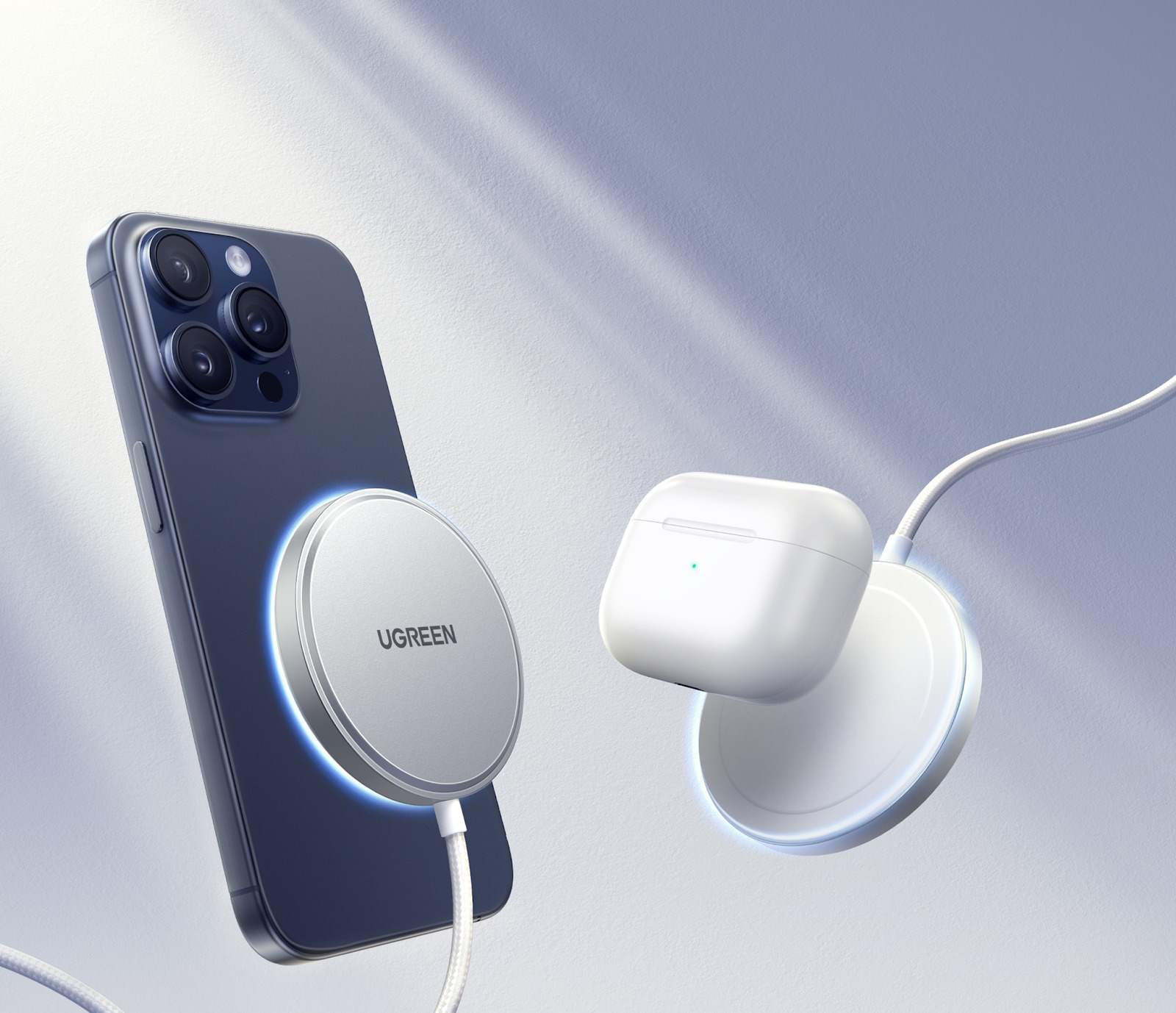
As businesses shift toward flexible work environments, mobile professionals rely on compact yet high-performance gear to remain productive on the move. From remote workers and digital nomads to business travelers, having access to wireless chargers and external batteries has become essential equipment in today’s mobile workforce, providing convenience, reliability, and reducing clutter while remaining productive and working remotely.
In this guide, we’ll take a closer look at why these key items should be part of any professional’s toolbox when working remotely.
Core Equipment Recommendation: Wireless Charger
In recent years, wireless chargers have seen immense popularity – and for good reason! Being able to charge devices wirelessly without cables can be game-changing for mobile professionals. Wireless chargers provide a simple yet efficient way to power phones, smartwatches, and other wireless devices without plugging them in directly, making them great for digital nomads or business travelers looking for an uncluttered workspace environment.
Practical Purchasing Tips:
- Charging Power and Speed: When shopping for a wireless charger, charging speed should be top priority. Most modern chargers provide fast charging between 10W and 15W, with some higher-end models offering charging up to 30W or beyond. For optimal results, select a charger compatible with the capabilities of your device’s wireless charging capabilities – using one with lower power may slow charging speeds down significantly.
- Compatibility: Make sure that the charger supports the Qi wireless charging standard to ensure compatibility with various smartphone brands like Apple, Samsung, Huawei, and Xiaomi. Also, check if it can work with phone cases without forcing users to constantly take them off when charging.
- Heat Dissipation Design: Charging can generate heat, which can negatively impact device efficiency and battery lifespan. To ensure safe and stable charging even under prolonged use, look for chargers equipped with heat management features, such as fan cooling systems or metal heat dissipation panels. This will help ensure a positive charging experience.
- Foreign Object Detection: For added peace of mind, high-quality wireless chargers offer foreign object detection technology. This feature detects any non-charging metal objects nearby, such as coins or keys, and will stop charging to prevent damage to either your device or charger.
- Multi-Device Compatibility: Some wireless chargers can accommodate multiple devices at the same time. If you travel with multiple devices, such as a phone and wireless earbuds, consider purchasing one with multi-device compatibility to charge all at the same time.
- Mobility: When travelling or on the go, portability is of utmost importance. For this reason, look for chargers with non-slip bases that won’t slip while still remaining lightweight enough for travel.
Usage Tips:
- For optimal battery health and to extend its lifespan, avoid completely discharging your phone prior to charging wirelessly.
- Maintaining between 20% and 80% battery charge during wireless charging sessions will extend its lifespan and prolong its use.
- Align your device with the charger’s coil accurately in order to ensure uninterrupted charging.
- For optimal charging when traveling, pair your wireless charger with an external battery to ensure continuous power when away from an electricity source.
Core Equipment Recommendation: External Battery
When working remotely or traveling, an external battery (also referred to as a “power bank”) is indispensable in keeping devices charged throughout the day. From phones and tablets to laptops, they provide essential backup power when outlets are unavailable, especially important for professionals working from airports, cafes, or outdoor settings. A high-capacity power bank could even prove lifesaving!

Practical Buying Tips:
- Capacity Selection: Capacity selection is one of the key criteria to keep in mind when purchasing a power bank. For users primarily needing to charge devices such as phones or wireless earbuds, a capacity between 5,000mAh and 10,000mAh should suffice, while for heavy users needing multiple devices charging as well as powering laptops simultaneously, an option with at least 20,000mAh should be considered more suitable.
- Fast Charging Protocols: When searching for power banks that support fast charging technologies such as Power Delivery or Quick Charge (QC), pay attention to whether these support PD (Power Delivery) and/or QC (Quick Charge). PD may be especially useful for charging laptops and high-end smartphones; QC provides fast charging for other devices.
- Multiple Interface Design: When charging multiple devices simultaneously, having multiple output ports can be invaluable. In an ideal world, having both USB-A and USB-C ports would provide maximum flexibility to power phones, tablets, or even laptops without waiting for their turn to charge up.
- Wireless Charging Functionality: Many modern external batteries come equipped with built-in wireless charging pads that enable you to charge devices wirelessly without having to plug them in, which makes traveling much simpler.
- Safety Features: Make sure that the power bank you select contains essential safety features, such as overcharge protection, short circuit protection, and temperature regulation. This will protect both you and your devices while ensuring safe operations of the power bank.
- Portability and Weight: While larger-capacity power banks tend to be heavier, it’s essential to strike a balance between portability and battery life when selecting power banks for travel purposes. Think carefully about which size and weight are right for your journey needs when making this choice.
Use Tips:
- Always utilize a USB-C cable that supports Power Delivery to maximize the charging efficiency of your power bank.
- Fully charge your power bank before traveling so you won’t find yourself without power during an emergency situation.
- If you’re charging your laptop directly and efficiently with a power bank, be sure it supports output above 20V to ensure a direct and effective charge of your device.
Core Equipment Recommendation: USB-C Multi-Function Hub
Professionals who rely on multiple devices and peripherals may find a USB-C Multi-Function Hub an essential addition to their mobile setup. This compact device expands connectivity options on laptops or tablets by connecting external displays, hard drives, and other essential peripherals – perfect for professionals relying on multiple peripherals at once!

Recommended Interface Configuration: 2.0
- USB-C (Power Delivery): Provides charging capabilities for laptops and tablets.
- HDMI: Allows for connecting an external display for dual-screen productivity.
- SD Card Slot, USB-A, and RJ45: Provides additional ports for cameras, USB drives, and Ethernet connections.
Purchase Advice:
Look for a lightweight hub that is compatible with multiple systems and portable enough for travel purposes.
Core Equipment Recommendation: 3-in-1 Cable
Carrying multiple charging cables can be tedious. A 3-in-1 cable offers convenience by combining Lightning, Type-C, and Micro-USB into one convenient package to save space while providing all your devices with access to charging.
Prominent Features of 3-in-1 Cable
- Support for PD Fast Charging: This feature enables devices to charge quickly and efficiently.
- Braided Material: With its durable, knot-free design, braided cable ensures a long life span and won’t become knotted over time.
- Light and Compact Cable Design: Traveling can be stressful enough; using lightweight and compact cables helps minimise tangling or losing them in transit.
Core Equipment Recommendation: Portable Keyboard and Bluetooth Mouse
For those who type frequently or rely on tablets or small laptops for work, portable keyboard and Bluetooth mouse combinations can significantly enhance productivity. They allow for a more comfortable typing experience as well as quicker navigation.
Recommended Combination:
- Bluetooth 5.0 Keyboard and Mouse: These devices support multi-device switching, enabling seamless use across different devices.
- Foldable or Ultra-Thin Designs: Folding keyboards and mice designed in this fashion make them portable and ideal for remote work environments, such as cafes or hotel rooms.
Core Equipment Recommendation: Laptop Stand
For any mobile professional, a laptop stand is an essential piece of equipment. This stand helps elevate the device for more ergonomic positioning and improve cooling efficiencies of the device itself, alleviating neck strain and increasing cooling efficiencies.
Recommended Materials:
- Aluminum Alloy: Aluminum alloy is an extremely light yet resilient material.
- Foldable Structure: Perfect for portability and workers who frequently change locations.
Conclusion: Mobile Work Is No Compromise, But Reconfiguration of Efficiency
As mobile workers, creating an efficient setup doesn’t involve overburdening with equipment; rather, it means choosing the appropriate tools and pairing them effectively. Wireless chargers, external batteries, and other key items like hubs and keyboards can significantly boost productivity and comfort levels for remote workers. By investing in high-quality, multifunctional portable devices, you can maintain flexibility, power, and connectivity wherever work takes you. Remote work doesn’t have to be compromised when properly equipped; rather, it should focus on efficiency and adaptability to new work environments.

Samar
Punsuniverse — a realm crafted by me, Samar! You will find everything here that is related to puns, weather its food, animals, names or something elsse.